YOUR CHECKOUT ADVANTAGE

You get the
packages.
I do the work.

Welcome to SLABSNGRABSACO. I do all the heavy lifting so everyone can enjoy products at MSRP instead of inflated market prices. ACO means Auto Checkout. I run your account through my automated checkout setup using the information you provide, allowing you to purchase products directly from the retailer at the retailer's price and have the packages shipped directly to your home — cutting out the middleman.

I was once in your spot, trying to buy everything at market price, and eventually I had enough. This is my way of trying to give everyone a chance at getting the products they actually want. I do have to charge a monthly membership fee because running and maintaining the bots and infrastructure is expensive.

Whether you're growing your collection or just looking for some packs to rip, I look forward to helping you.

Have questions? Click the Discord link at the top of the page and drop us a message.

âś“ Flexible monthly plans    âś“ Built for collectors    âś“ Secure Stripe checkout
SLABS N GRABS ACO STARTER
$30 /month

1 ACO profile per supported retailer.

HOW IT WORKS

Simple. Streamlined. Ready.

01

Choose your plan

Select the membership that fits your ACO profile needs.

02

Submit your profile

Provide your details through our organized submission form.

03

You're ready

After payment and confirmation, your membership can be set up.

MEMBERSHIPS

CHOOSE YOUR TIER

Flexible monthly plans built around your ACO profile needs.

â—Ž Target
âś± Walmart
â—‡ Sam's Club
C Costco
PKC
SUPPORTED RETAILERS
?

NOT SURE WHICH TIER?

Join the Discord and our team will help you pick the right plan for your goals and budget.

Ask in Discord
GET STARTED

CREATE YOUR PROFILE

Enter your setup details, then continue to secure Stripe Checkout for your membership.

Profile information

Fields marked * are required.

SECURE FORM
GETTING STARTED

ACO SETUP GUIDE.

Follow these steps to prepare your profiles, payment methods, and supported email connections.

✦
Important

ACO runs pulls for every account marked “Active.” Make sure only the accounts you want checked are active.

♧ Step 1 — Set Up a Profile ›

Profiles store your personal and shipping information. Each ACO account is linked to a profile so you don't have to type the same address repeatedly.

  1. Go to Configuration → Profiles in the sidebar.
  2. Click Add Profile and complete the form: Profile Name (a label you'll recognize, such as “Main Profile”), First Name, Last Name, Phone Number, and full shipping address.
  3. Click Create Profile . You can create as many profiles as needed — typically one per shipping address.
Before you continue:

You must have at least one profile before creating an ACO account. Profiles can be reused across multiple accounts.

▣ Step 2 — Add a Payment Card ›

Payment cards may be stored centrally in the ACO application's Payment Methods area and linked to one or more ACO accounts.

  1. Go to Configuration → Payment Methods and select Add Card .
  2. Enter a Card Company, Card Number/EXP, Name on Card, and the requested card details in the official ACO application.
  3. Save the card and link it only to the accounts you intend to use.
Security reminder:

Never send full card numbers, CVVs, or expiration dates to SLABSNGRABSACO by email. Use the official ACO application and its security controls.

✉ Step 3 — Set Up an IMAP Profile (Walmart, Target & Sam's Club) ›

Walmart, Target, and Sam's Club may send order confirmations and two-factor authentication messages by email. The checkout software may need inbox access to read those messages.

  1. Go to Configuration → IMAP Profiles and click Add IMAP Profile .
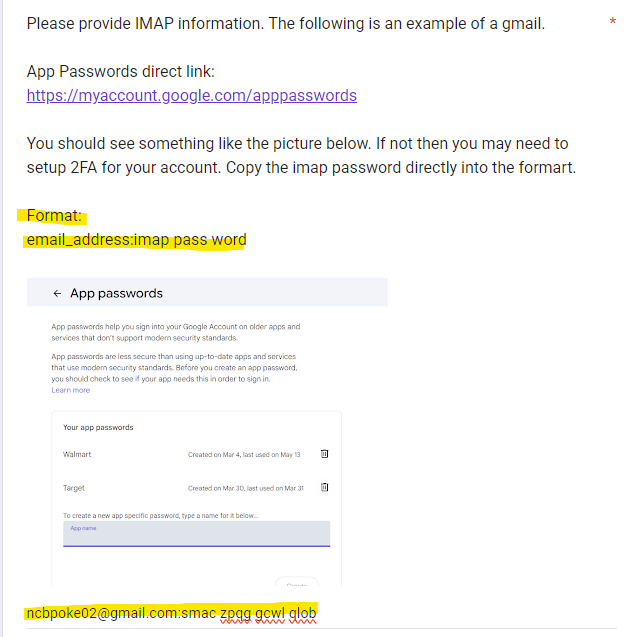
  2. Give the profile a Label, enter the Email Address, choose your Email Host from the dropdown, and enter the provider-specific App Password.
  3. Save the profile, then click Test IMAP to verify the connection.
Use an app password:

Use a dedicated app password rather than your regular email password. Follow your email provider's official security instructions to create one.

Note:

Pokémon Center accounts may not need an IMAP profile. Sam's Club accounts may require IMAP depending on the setup.

✉ Why IMAP? — Understanding Email Access ›

IMAP is an email-access protocol that lets approved software read messages in an inbox without needing to operate your entire email account.

  • It can help the software locate order confirmations and verification messages.
  • Use a dedicated email address when practical.
  • Enable two-factor authentication with your email provider.
  • Use an app password with limited access when your provider supports it.
  • Remove access and rotate credentials if you stop using the integration.
Privacy tip:

Only grant access to an inbox you control, and review what messages the software can access before connecting it.

⌕ How To — Generate an App Password REQUIRED FOR IMAP ›

App-password steps vary by provider. Use the official help page for your email service and never share the generated password with anyone who does not need it.

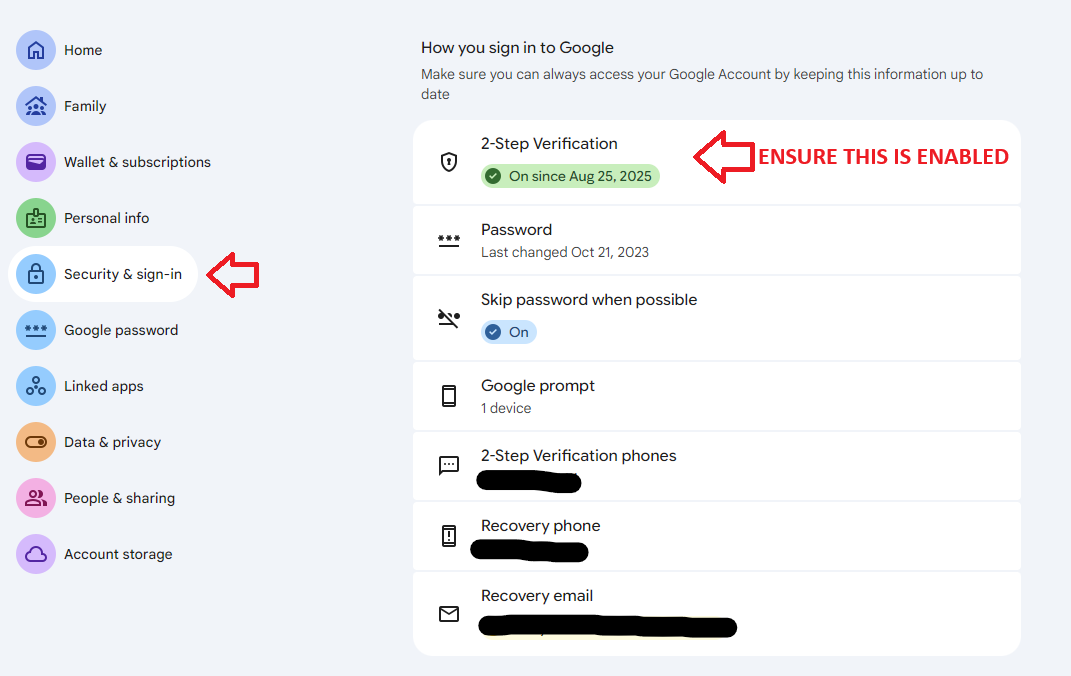
  1. Open your email provider's account-security settings.
  2. Enable two-step verification if required.
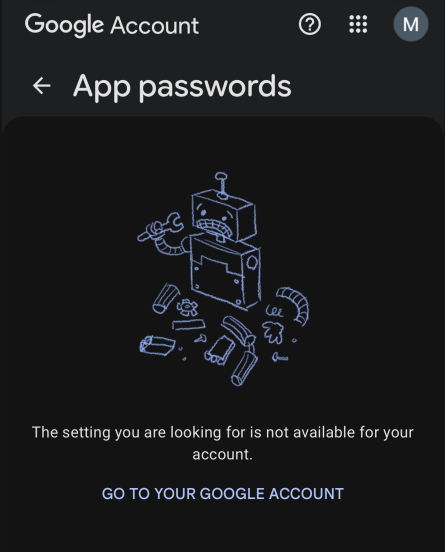
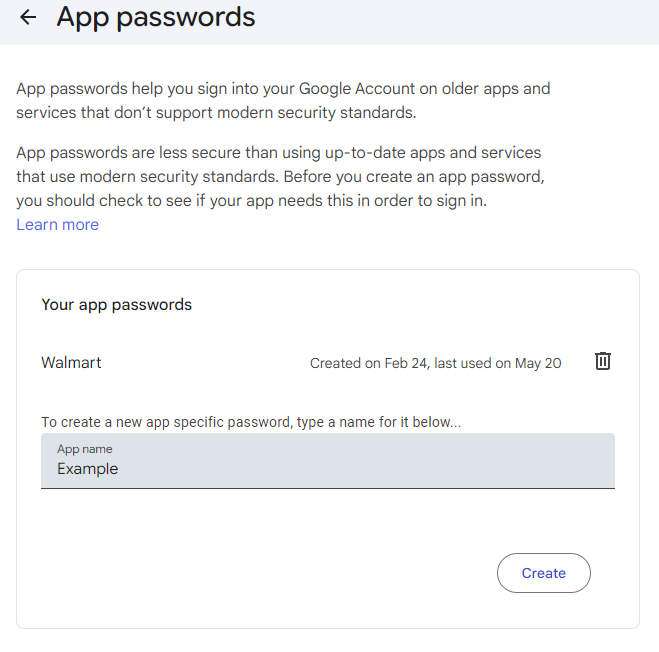
  3. Find the App Passwords or equivalent option.
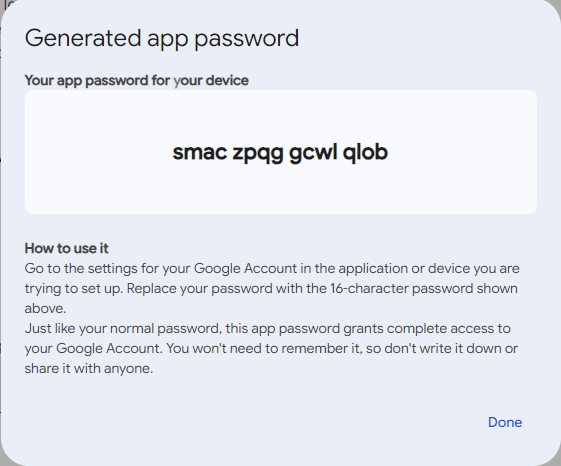
  4. Create a dedicated app password for the IMAP connection.
  5. Copy it into the official ACO application's IMAP profile field — not into this website.
Keep credentials private:

SLABSNGRABSACO does not need your regular email password, app password, card number, or CVV to process a membership payment.

MEMBER ACCOUNT

MY PROFILE

View your membership plan and subscription information.

Checking your membership…